Watch it
Start
1
Create Decision
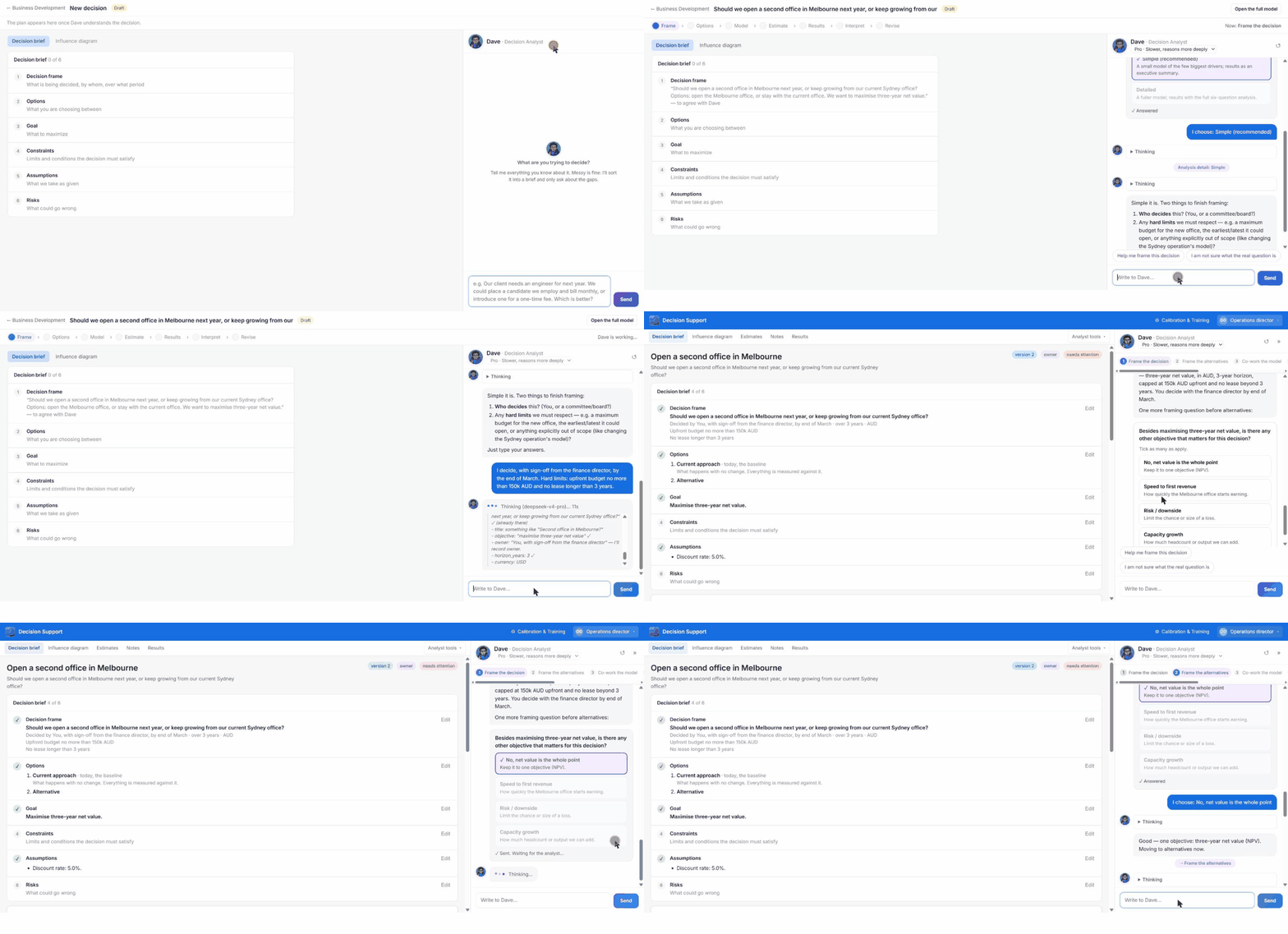
Choose Create Decision in a workspace. A new draft opens with the empty Decision brief on the left and Dave on the right asking “What are you trying to decide?”.
2
Describe the decision in your own words
Messy is fine. For example: “Should we open a second office in Melbourne next year, or keep growing from our current Sydney office?” Dave sorts it into the brief and only asks about the gaps.
3
Answer Dave's questions
He asks one question at a time, with buttons you can tick or your own text: how detailed the analysis should be, who decides and by when, the hard limits (budget cap, lease length and so on), the currency, what “value” means to you, and the discount rate.
4
Name the options
Dave suggests alternatives beyond the ones you named. Always keep the current approach as a baseline. Everything is measured against it.
The Decision brief
The brief summarises the frame, the options, the goal, recorded assumptions and risks. Each section shows a tick when complete, and the header shows the version, your role and whether the decision is ready to run.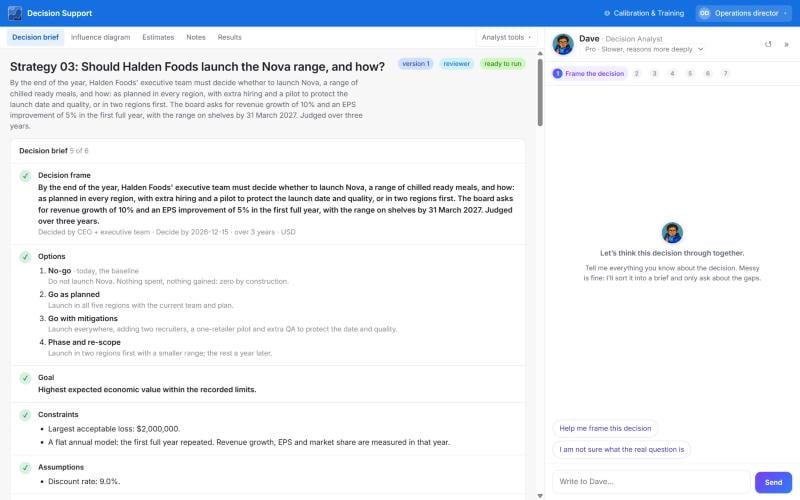
- Decision properties: the decision as one sentence, owner, decide-by date, currency, period, discount rate, and two recorded limits (most one-time cash, largest acceptable loss).
- Options table: one row per option with a description and the settings that drive the calculation. You can add properties like spreadsheet columns (text, number, currency, percent, date, single select, checkbox, person).
- Suggest options: proposes standard patterns, options used in similar decisions, and ideas from the knowledge base.